Formats
Input: JPG/JPEG, PNG, WebP, BMP, TIFF, GIF everywhere; HEIC/HEIF on Android 9 or later through the system decoder. Output: WebP (the default, best size/quality balance), JPG, PNG, AVIF (smallest modern format, output-only), BMP and TIFF.
What you can set
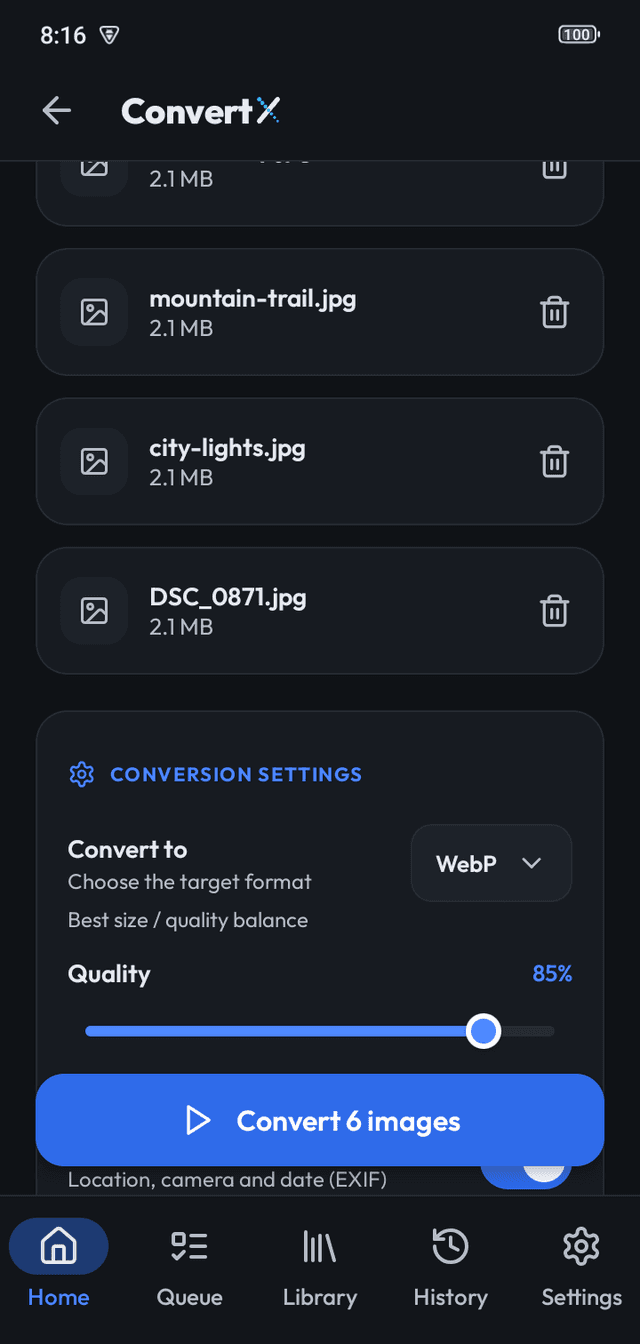
- Target format, one for the whole batch.
- Rename pattern: add a suffix or use {name} to insert the original file name.
- Output folder (Android default: Pictures/ConvertX).
- "Keep photo details": copies camera details and location into JPG, PNG and WebP results. Off by default; rotation is always corrected.
How it behaves
Tapping "Convert N images" adds the files to the Queue and starts it. Files picked while a batch runs join the end of the Queue. Name collisions on desktop create "name (1).ext" instead of overwriting.
Frequently asked questions
Can I convert to GIF or HEIC?
No. Output formats are WebP, JPG, PNG, AVIF, BMP and TIFF.
Can I convert a mix of formats in one batch?
Yes. Pick any supported files; they all go to the one target format.
Does it keep the folder structure?
No. All results go to the output folder you chose.
More features
- Image CompressorCompress photos on your device with Light, Balanced, Strong and Maximum presets or lossles…
- Batch queueThe ConvertX queue converts hundreds of images in order, keeps going with the screen locke…
- PrivacyConvertX processes images on your device, with no ads, no analytics and no Internet permis…