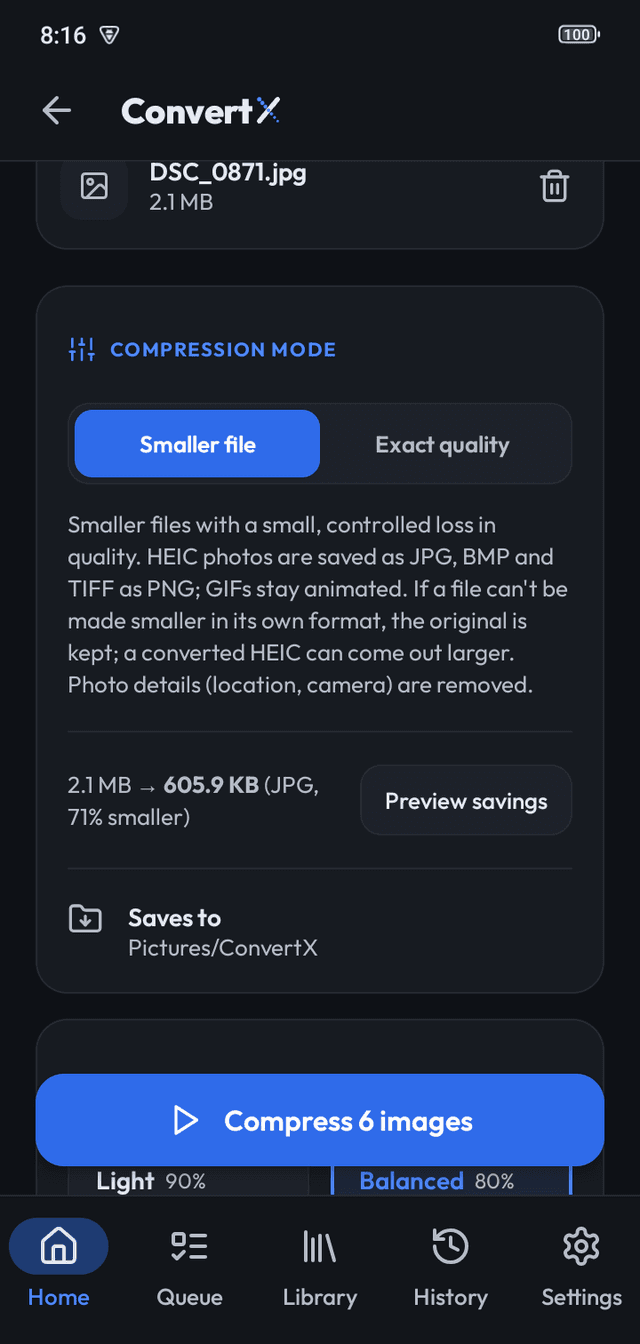
Smaller files (lossy)
Light (best quality, modest savings), Balanced (good quality, smaller files), Strong (much smaller, visible on zoom) and Maximum (smallest files, lower quality), or a custom quality slider. HEIC photos are saved as JPG, BMP and TIFF as PNG; GIFs stay animated.
Exact quality (lossless)
No quality loss. PNG, WebP and GIF are recompressed losslessly. JPEG and AVIF can't be, so they are left untouched unless you resize them; HEIC is saved as a maximum-quality JPG.
Maximum width
Optionally resize every image so it is no wider than the value you set. Images already smaller are left alone. For photos going to a screen, this saves more than any quality setting.
The estimate
Before you start, the compressor compresses one sample file with the current settings and shows the before and after size, so you can adjust the preset instead of guessing. It also tells you honestly when a setting would make a file larger.
Frequently asked questions
Does it overwrite my originals?
No. Compressed copies are written to the output folder; originals are untouched.
Can it compress HEIC?
On Android 9+, yes; the result is a JPG.
Is the estimate exact?
It is the real result for one file. Other files in the batch vary with their content.
More features
- Image ConverterConvert many images at once to WebP, JPG, PNG, AVIF, BMP or TIFF on your device. HEIC on A…
- Batch queueThe ConvertX queue converts hundreds of images in order, keeps going with the screen locke…
- PrivacyConvertX processes images on your device, with no ads, no analytics and no Internet permis…